

opencream TV
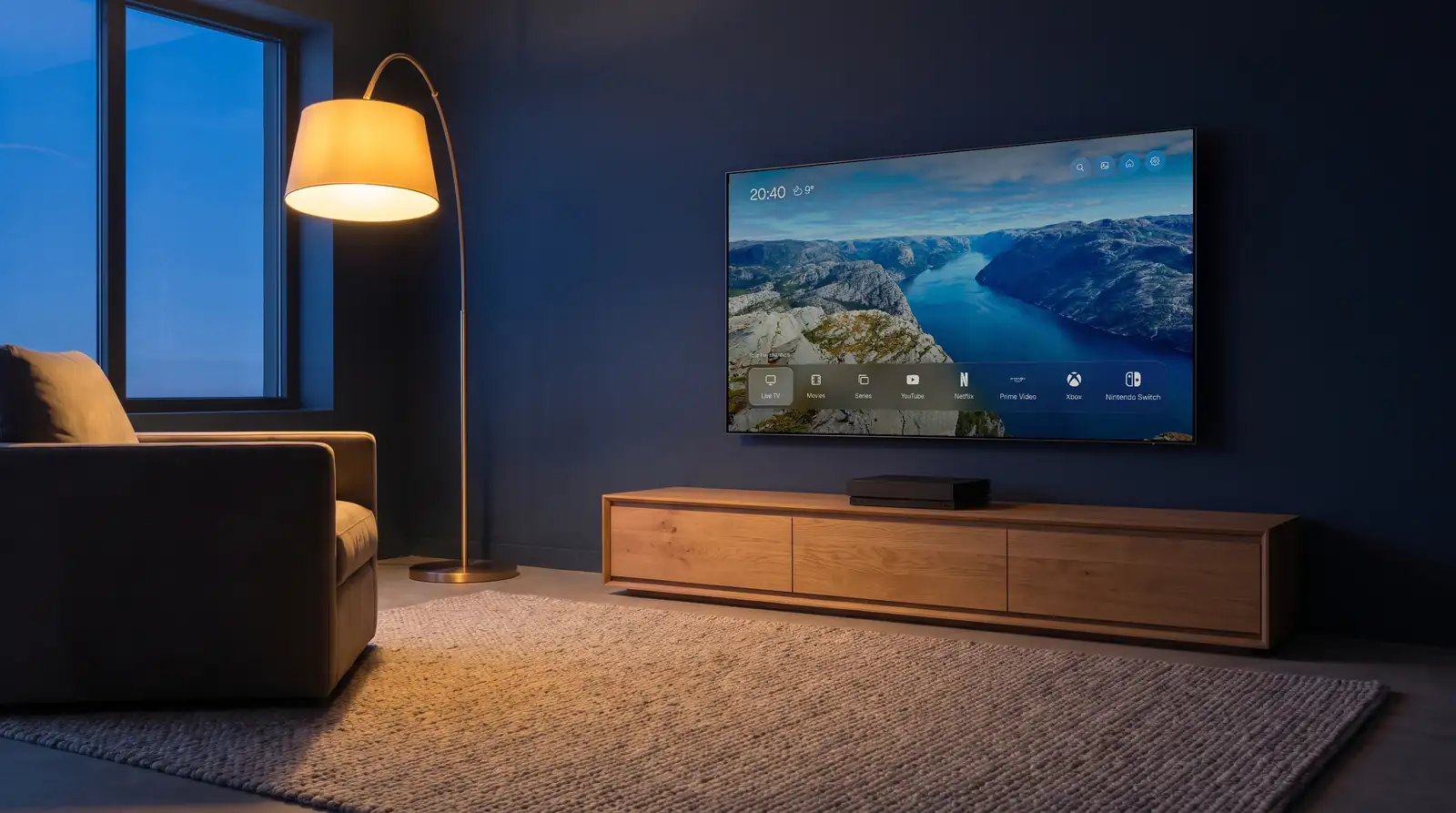
An evening living room with a navy wall and a floor lamp. The TV on the wall shows the opencream TV home screen: the time, the weather and one row of apps.

One calm screen for your Samsung TV.

Your apps and consoles in the order you choose, with your own IPTV service built in. Free and open source, for TVs from 2019 on.

You bought the TV. The home screen came with someone else's plans.

Rows of things you never picked sit between you and the one app you wanted. Your IPTV service lives in another app, with its own menus and its own wait for the guide.

You switch between the two all evening.

Everything you use, one row.

The time and the weather up top. Below, the apps already installed on your TV, in the order you set: YouTube, Netflix, Disney+, whatever you use. Your Xbox and Switch get their own tiles, and one press switches to that HDMI input.

Pick a wallpaper. Show names under the icons or hide them. That is about all there is to set up.

opencream TV opens your installed apps. Their shows stay in their own apps.

Live TV that starts in about a second.

opencream TV hands channels to the TV's own hardware video player. On our 2023 QN90C a channel starts in about a second.

Open the guide over the picture to see what is on now and next. Zap with CH up and CH down like on any TV. Hold OK on a channel to add it to your favorites.

If your provider's main server drops, playback moves to your backup server by itself. You type both addresses into the login, separated by a comma.

Real app footage at real speed. Every channel here is fictional.

Pick up where you stopped.

Films and series from your subscription, with your place saved. Choose the audio track and subtitles during playback.

When your service offers the same title in another language or in 4K, you find those versions in the same menu, without searching for them again.

Film detail page for The Long Coast with Resume from 47:12 and Play from start.
Resume from 47:12
Audio and subtitles menu during playback: English 5.1, English stereo, Deutsch, Français and English 4K; subtitles Off, English, Français, Deutsch.
Audio and subtitles, other languages and 4K
Movies screen with categories on the left and a grid of film posters.
Movies by category
Series detail for Harbour Street with Season 1 and Season 2 tabs and the episode list.
Seasons and episodes in one list
Settings: IPTV service, apps in the dock, consoles and inputs.

Your login stays on the TV.

You type your IPTV login once and the app stores it on the TV. You don't create an account with us.

The weather comes from Open-Meteo, which receives the town you type. If you ask the app to find your town from your internet connection, it asks ip-api.com. The app contains no tracking and no analytics.

Read the privacy page

No channels included. Bring your own.

opencream TV is a home screen and a player. It plays the IPTV service you already subscribe to, through the Xtream Codes login your provider gave you: server address, username, password. M3U playlists are planned.

We don't sell, recommend or link to any provider, and we can't help you choose one. Making sure your service is legal where you live is up to you.

Full disclaimer

A warm, lamp-lit living room with a navy sofa. The TV on the wall shows the opencream TV home screen with the YouTube tile selected.

Built for one living room.

I built opencream TV for our own TV. I was tired of the ads on the home screen. My kids wanted the Xbox, I wanted YouTube, Netflix and live TV, and getting to any of them meant scrolling past rows we never asked for.

So I made one screen with only our things on it. We have used it every evening since. Now it is open to anyone with a Samsung TV from 2019 or newer.

Matthias, opencream.ai

Open source

The code is public under the GPL-3.0 license. If something breaks on your TV, open an issue on GitHub.

See the code on GitHub

Installed once, from your computer.

Samsung's store only installs its own catalog, so opencream TV goes on from a computer on the same network. It takes about 20 minutes the first time.

  1. Turn on Developer Mode.

    Open Apps on the TV, type 1 2 3 4 5 with the remote, switch Developer mode on and enter your computer's IP address. Restart the TV.

  2. Open Apps2Samsung on your computer.

    It's a free community installer for Windows, macOS and Linux. Sign in with your Samsung account when it asks.

  3. Pick opencream TV and install.

    Type your IPTV login in the form, or later on the TV.

Updates go the same way: open Apps2Samsung, update, done. Your login and favorites stay.

If you use Claude Code or Codex, you can also ask it to do the install. The repository has an AGENTS.md written for that.

The app's first screen asking for the IPTV login, with a button to try sample channels.
The first screen on the TV after the install.

Samsung TVs from 2019 on.

  1. 2017
  2. 2018
  3. 2019
  4. 2020
  5. 2021
  6. 2022
  7. 2023tested
  8. 2024
  9. 2025
  10. 2026

opencream TV runs on Samsung TVs with Tizen 5.0 or newer, which means models from 2019 onward. Older TVs refuse the install.

We test on a 2023 QN90C running Tizen 8. Other models come from owners' reports, listed with what works.

Questions

Is it free?

Yes. opencream TV is free and open source under GPL-3.0. There is no activation fee and no subscription.

Does it include channels?

No. You enter the login of an IPTV service you already pay for. We don't sell, recommend or link to any provider.

Does it replace Samsung's home screen?

It replaces what you see when you turn the TV on, if you set the TV to start with the last app. Samsung's home is still there: the Home button on the remote opens it, and no app can change that. Put opencream TV first in Samsung's app row, and Home then OK brings you back.

Which logins work?

Xtream Codes: server address, username, password. You can add backup servers. M3U playlists are planned for a later version.

Will it work on my TV?

If your Samsung TV is from 2019 or newer (Tizen 5.0+), it should. We test on a 2023 QN90C. See the compatibility page for other models.

What does Developer Mode do?

Developer Mode is a setting built into Samsung TVs for installing apps from a computer. opencream TV is a normal TV app. It does not root or modify the TV's system, and you can uninstall it like any other app.

Who makes it?

Matthias at opencream.ai, a small company in France. opencream TV is independent and not affiliated with Samsung.

All questions

Seen from behind a sofa: a remote on the armrest, and on the wall the TV glowing softly with the opencream TV home screen.

Tonight, start on a quiet screen.

Free for Samsung TVs from 2019 on. About 20 minutes to install, once.

opencream TV is free. If it makes your evenings calmer, you can tip Matthias a coffee.